
Requirements
APPNETOS can run with the APPNETOS Docker environment or on infrastructure configured to meet your own requirements. Both approaches support development and production deployments.
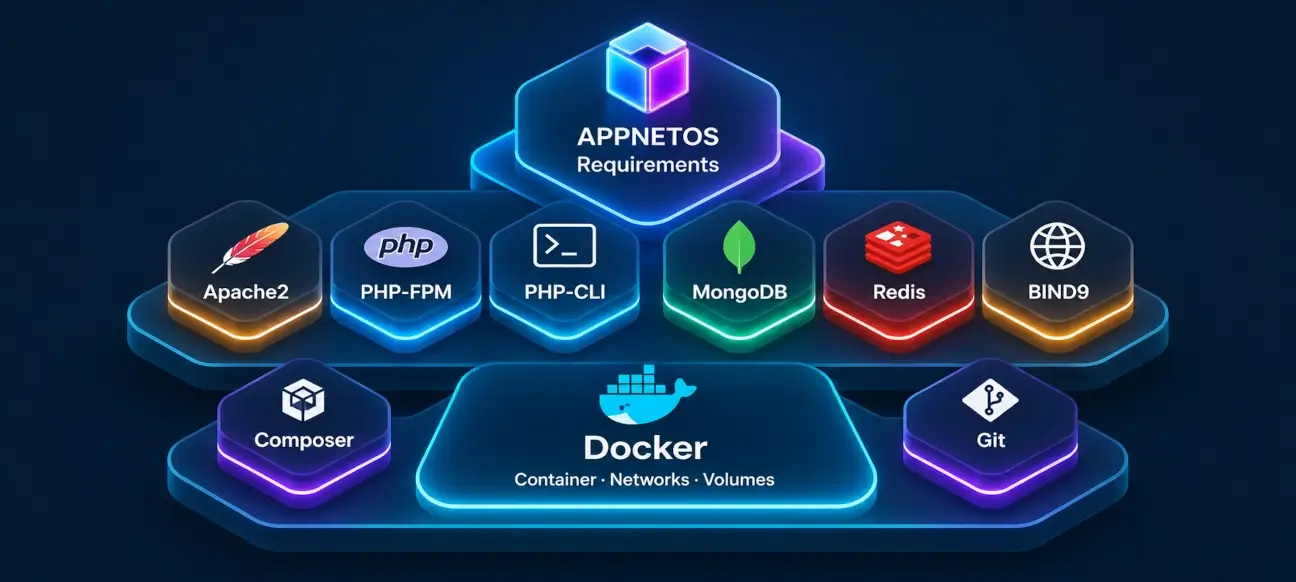
Choose the deployment method that fits your environment. Individual applications may introduce additional service, resource, or runtime requirements.
Deployment Options
APPNETOS does not require every installation to use the same infrastructure. The official Docker environment provides a convenient starting point; custom deployments allow you to control the entire runtime.
| Deployment method | Development | Production |
|---|---|---|
| APPNETOS Docker | Supported | Supported |
| Custom Infrastructure | Supported | Supported |
| Container Orchestration | Custom configuration | Custom configuration |
Container orchestration, including Kubernetes, is an infrastructure-specific deployment choice. APPNETOS does not prescribe an orchestration platform or ship a universally applicable cluster configuration.
APPNETOS Docker Requirements
The APPNETOS Docker environment is intended for both local development and production operation. It brings together the base services needed to get an installation running quickly, while allowing the deployment configuration to be adapted to its host environment.
Required Tools
- Docker Engine
- Docker Compose plugin
- Git to obtain the repositories
- Sufficient CPU, memory, and disk space for the selected applications and workload
Base Services
- Apache HTTP Server
- PHP-FPM
- MongoDB
- Redis
Linux is the recommended host environment. Resource sizing depends on the number of applications, their workloads, and the deployment architecture; there is no single hardware specification suitable for every installation.
Production deployments additionally require appropriate network exposure, TLS termination, persistent storage, access controls, backups, monitoring, and an update strategy. Docker simplifies deployment but does not replace operational planning.
Custom Infrastructure Requirements
APPNETOS can also be installed without the official Docker environment. You can configure the runtime and distribute services across hosts according to your security, performance, availability, and operational requirements.
| Component | Runtime requirement |
|---|---|
| PHP | PHP 8.5 with the extensions required by APPNETOS and the installed applications |
| Web Server | Apache HTTP Server 2.4 with PHP-FPM |
| Database | MongoDB |
| Caching and Services | Redis |
| Dependencies | Composer |
| Background Processing | PHP CLI processes for workers and scheduled tasks, where used |
Common PHP extensions include
mongodb
,
redis
,
intl
,
gd
, and
zip
. Check the APPNETOS source and the dependencies of each installed
application for the complete extension list.
With a custom deployment, you are responsible for configuring the web server, process supervision, networking, TLS, persistent storage, security, backups, and updates. Components do not have to run on a single machine.
Container Orchestration and Customization
APPNETOS can be deployed within individually configured container orchestration environments, including Kubernetes. Such environments can be tailored to requirements for availability, scaling, networking, security, and resource management.
Orchestration requires deployment-specific design and configuration. Stateless services and workers may be replicated where appropriate; databases and other stateful services require suitable persistence, replication, and operational strategies.
Source Code and Repositories
The Docker environment and the APPNETOS source code are maintained separately. Obtain both repositories when using the Docker-based installation.
APPNETOS Docker Repository
Docker and service configuration for running APPNETOS.
Open Docker repositoryLinux File Permissions
When using Linux bind mounts, match the container's configured user and group IDs to the host where appropriate. To display your current IDs, run:
id
The Docker setup can use these values in its local
.env
configuration to help
avoid ownership conflicts on mounted directories. Choose appropriate service identities and permissions
for production environments.
Application-Specific Requirements
The requirements above describe the common runtime. Individual applications may require additional PHP extensions, external services, background workers, dedicated containers, or higher resource limits. Consult each application's documentation before deployment.