
Bootstrap Sequence
The APPNETOS System Bootstrap coordinates the startup of the shared Core and the active application in a deterministic order. Each stage prepares the runtime state or infrastructure required by subsequent stages.
The standard Core runtime already covers the requirements of most applications. The final Application Runtime Bootstrap is an optional execution path for applications that require their own request processing or a substantially customized runtime.
Execution flow
System Bootstrap invokes the stages in the order shown below. The final stage is reached only if an earlier stage has not already completed or terminated the request.
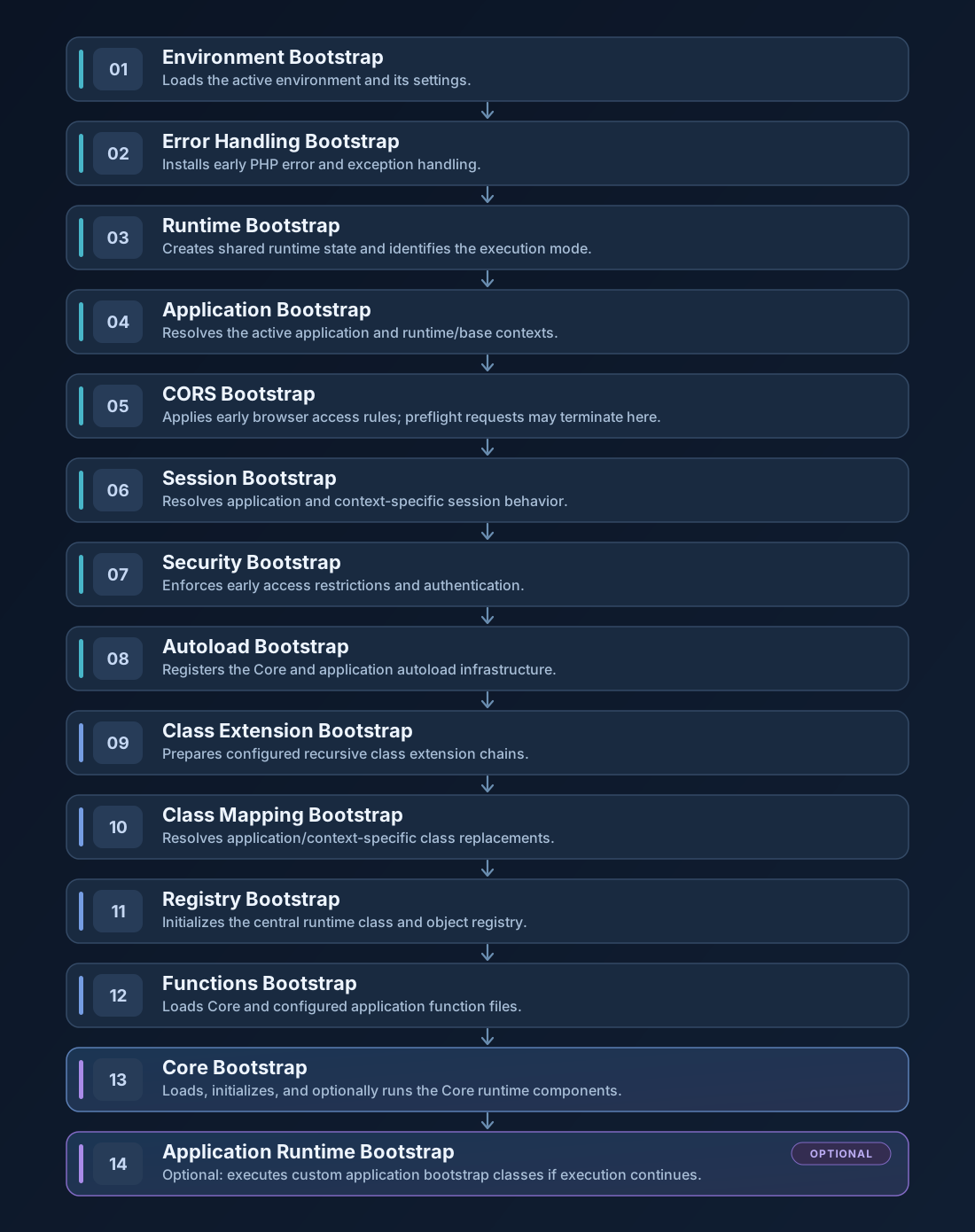
Bootstrap stages
Each stage has its own technical reference covering configuration, resolution rules, initialization, and runtime behavior.
| Step | Bootstrap | Responsibility |
|---|---|---|
| 01 | Environment Bootstrap | Loads the active environment and its settings. |
| 02 | Error Handling Bootstrap | Installs early PHP error and exception handling. |
| 03 | Runtime Bootstrap | Creates shared runtime state and identifies the execution mode. |
| 04 | Application Bootstrap | Resolves the active application and runtime/base contexts. |
| 05 | CORS Bootstrap | Applies early browser access rules; preflight requests may terminate here. |
| 06 | Session Bootstrap | Resolves application and context-specific session behavior. |
| 07 | Security Bootstrap | Enforces early access restrictions and authentication. |
| 08 | Autoload Bootstrap | Registers the Core and application autoload infrastructure. |
| 09 | Class Extension Bootstrap | Prepares configured recursive class extension chains. |
| 10 | Class Mapping Bootstrap | Resolves application/context-specific class replacements. |
| 11 | Registry Bootstrap | Initializes the central runtime class and object registry. |
| 12 | Functions Bootstrap | Loads Core and configured application function files. |
| 13 | Core Bootstrap | Loads, initializes, and optionally runs the Core runtime components. |
| 14 | Application Runtime Bootstrap Optional | Optional: executes custom application bootstrap classes if execution continues. |
Core runtime and optional application runtime
The Core Bootstrap loads its configured classes first, initializes the selected Core components in order, and optionally invokes its runtime entry point. Standard APPNETOS applications use the prepared Core infrastructure for URI resolution, routing, rendering, and response handling.
Document-based URI processing is optional. If Core\Uri has no mapped URI Collection, it does
not attempt document-based URI resolution or produce an automatic URI response. Provided that no other
component terminates execution, the System Bootstrap then reaches the Application
Runtime Bootstrap.
When a URI Collection is mapped, the Core handles URI resolution and the corresponding response or error path. If Core processing sends a response and terminates execution, the Application Runtime Bootstrap is not reached. In particular, a mapped collection with no matching URI is different from having no collection: the standard URI controller invokes its not-found handling.
Important: Step 14 is optional in execution, not an alternative to the preceding system initialization. The System Bootstrap calls it after Core Bootstrap only when control returns to the system sequence.
Customization options
APPNETOS provides several levels of customization without requiring developers to rebuild the startup process:
The protected System Bootstrap coordinates these stages and is not itself a general-purpose Class Extension target. Customization operates through the supported replacement and extension points.
Recommendation: Prefer the Standard Core Runtime
APPNETOS provides a fully prepared Core runtime that already covers the requirements of most applications, including URI resolution, routing, rendering, response handling, and other essential infrastructure.
For standard application development, using the existing Core Bootstrap is strongly recommended. Developers should build on the available Core components and use Class Mapping or Class Extension for targeted customization when necessary.
The optional Application Runtime Bootstrap is primarily intended for advanced use cases where developers deliberately require fundamentally different application behavior, such as independent request processing, custom routing systems, or a completely customized runtime initialization sequence.
Replacing or bypassing the standard Core runtime is an exceptional architectural decision, not the regular development pattern. Before implementing a custom runtime, evaluate whether the required behavior is already supported by the Core and its established customization mechanisms.